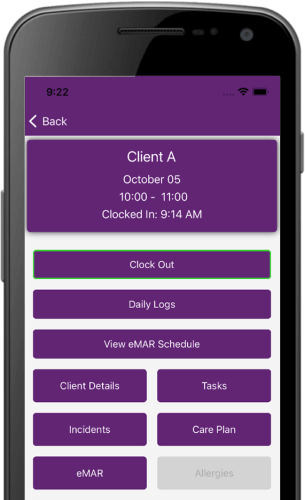
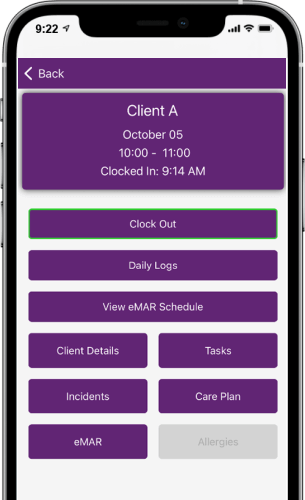
• Keep all of your clients detailed information in one place for fast retrieval.
• Suspend a clients service for a specified period to allow for holiday or respite.
• Quickly find a clients emergency contacts such as family member or doctor.
• Keep detailed, date stamped and operator logged, notes and history about your clients.
• Create a printable care plan and specify any risks pertaining to that client.
QuikPlan Schedule Expert has a detailed client database where all your vital information can be accessed quickly. You can store any relevant information about your service users all in one place. With QuikPlan’s easy to use find feature you can go straight to the information you need. In an emergency you can quickly locate the service users emergency contacts, notes and history and any important information recorded about your clients. Rapid access to information will not only improve the quality of your service it could also save lives.
QuikPlan Schedule Expert allows you to suspend a service users visits should your client need to take respite or temporally stop having visits. By putting dates into the suspend from and until fields, QuikPlan will automatically stop creating visits for that client during those dates. You will be reminded in advance when a client is due to restart their service thus allowing you time to check that the recommencement date of their service is valid.

Click to enlarge images
Care plans are recorded in the client assessment area of QuikPlan Schedule Expert. This information can be printed out and given to care workers when visiting a client for the first time or if the clients care plan changes. All the relevant information that a carer will need to undertake a call is neatly displayed on professionally designed printable forms.
QuikPlan Schedule Expert offers a convenient way to store and retrieve client information however the client details area is much more than a place to keep records. In this part of the program you can assign a client to a run (a geographical location within your catchments area). This along with QuikPlan’s run route technology makes sure you always have the nearest available carer to cover a call. There are also fields where you can input client specific information such as codes that link into call monitoring systems, custom ID and tags that are used by local authorities to make identification compatible with their systems.
Virtually all information regarding your clients can be stored in this area for fast access. QuikPlan provides a compressive place to store client information however we are always working on developing QuikPlan and our customers suggestions are always welcome.
QuikPlan Schedule Expert makes finding information on your service users quick and easy. With all the information stored in one location and with the ability to login and retrieve records from literally anywhere in the world, you will always have the answers at your fingertips.

Clients’ notes and history is a crucial part of care management. As incidents happen they are recorded in QuikPlan Schedule Expert with a date and time stamp and the person who entered the record. This information can be accessed in an emergency or presented on a printable form if requested by the QCC.

QuikPlan Schedule Expert provides a convenient way to manage your clients’ assessments. Your clients' needs are entered such as what service you are providing in the morning, lunchtime , teatime and evening. Risk assessment information is recorded along with any special requirements your clients' may have. This can be printed on a professional form that can be left in the clients’ home or given to a carer.
Take a look at our demonstration. In just 20 minutes see how QuikPlan Schedule Expert can accelerate your business.
Try our QuikPlan demo...
Quikplan copyright 2010 Worcester CMS Web Design